Free and open source · Version 1.2.0

Read every page.
Find every connection.

Watchdog is a desktop app for journalists who work with public records. Drop in court filings, corporate registries, land titles and freedom-of-information releases. It reads every page, pulls out the people, companies, addresses and relationships, and ties every fact to the page it came from.

For Mac, Windows and Linux. Works with an Anthropic API key and your Claude subscription.

  • Every fact cited to the document and page it came from
  • Reads on your computer: conversion, OCR and transcription never leave it
  • Plain files you own, readable without the app
  • Free and open source under the MIT licence

The app

A look inside the app.

These screens show Watchdog working on a sample investigation into a city land deal. The people, companies and documents in it are invented.

Watchdog — Port Calder Waterfront (sample)
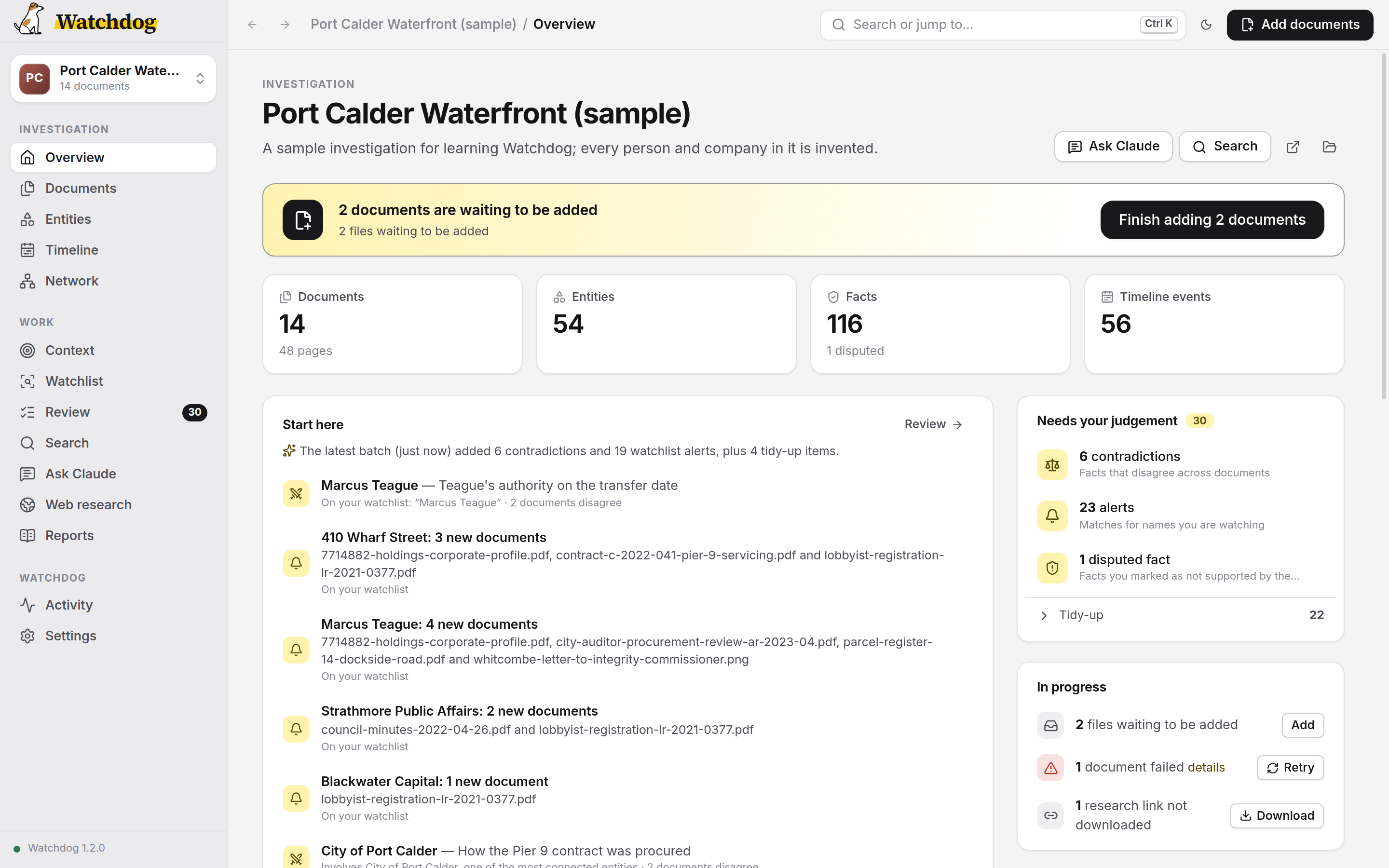
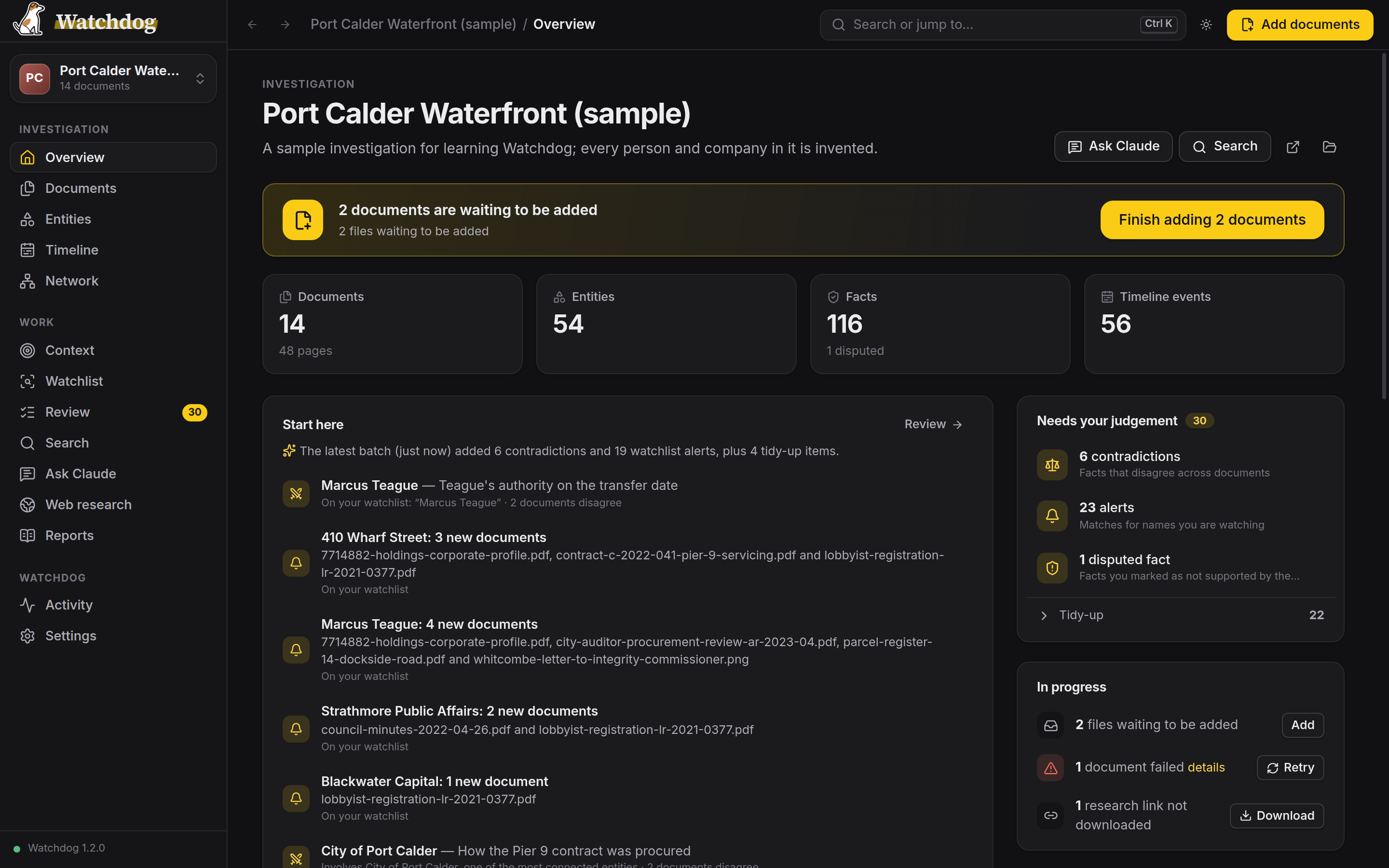
The Overview: counts of documents and checked facts, an account of where things stand, the latest briefing and what is waiting on you.
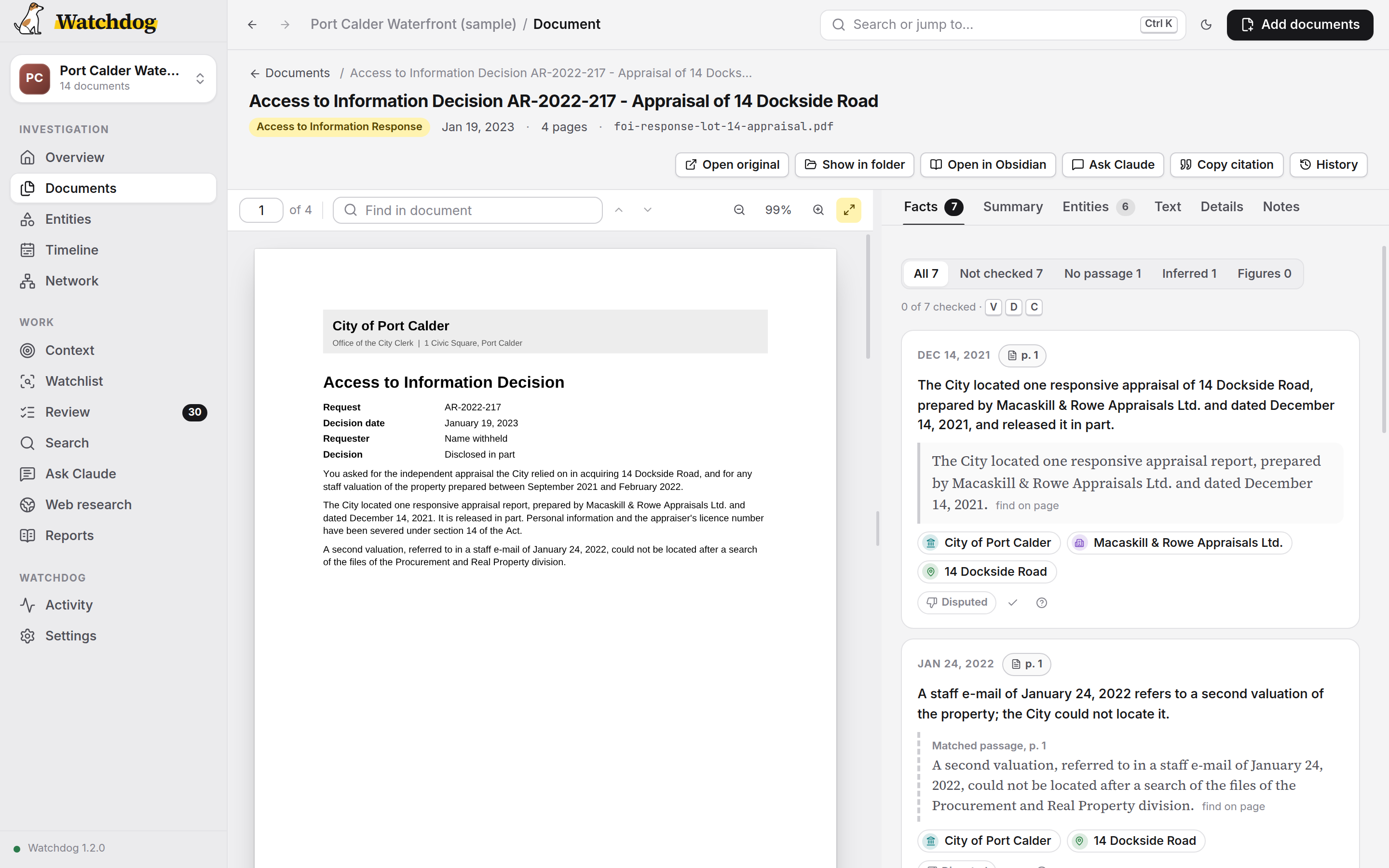
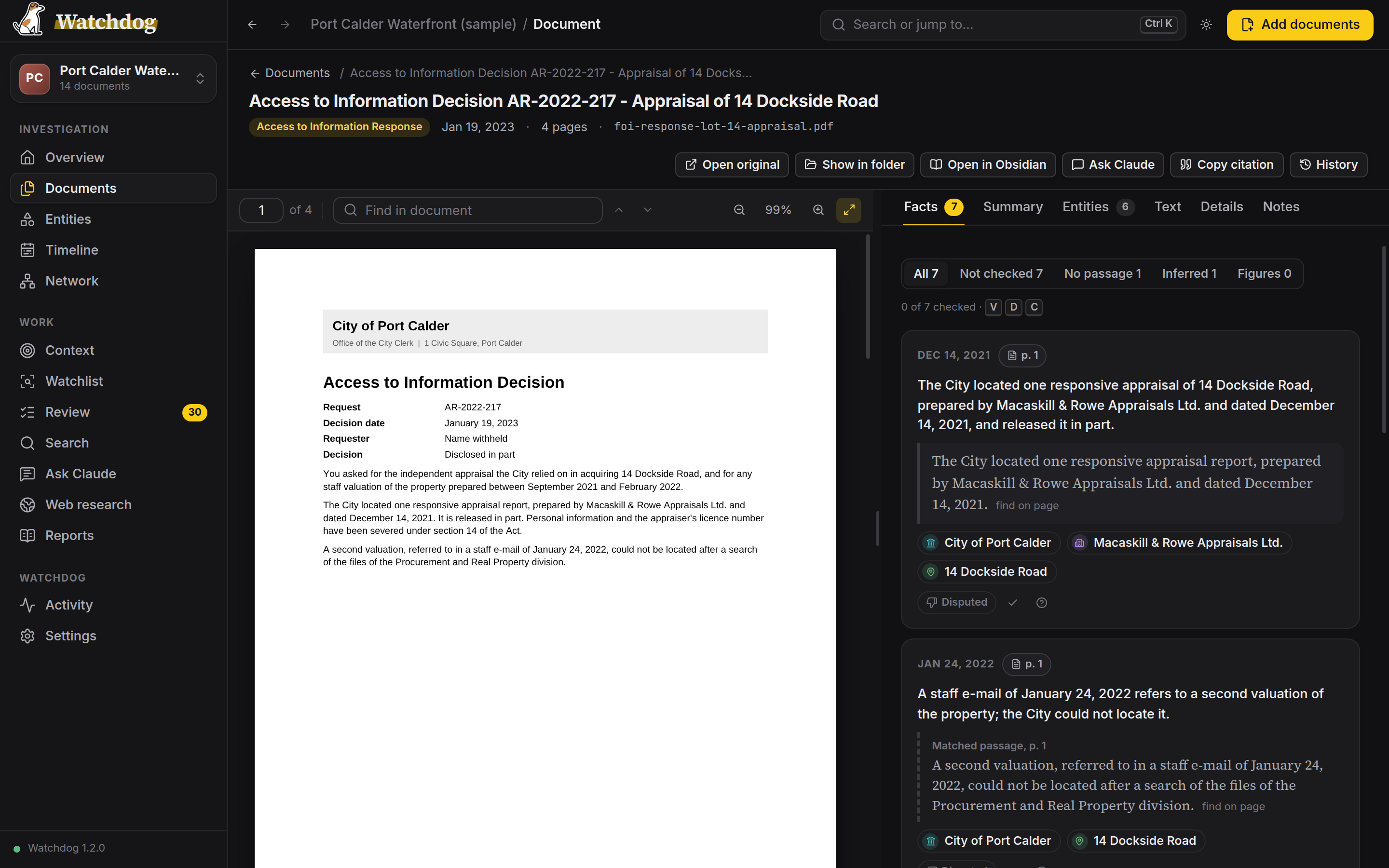
A scanned document beside the facts taken from it, each with its source passage.
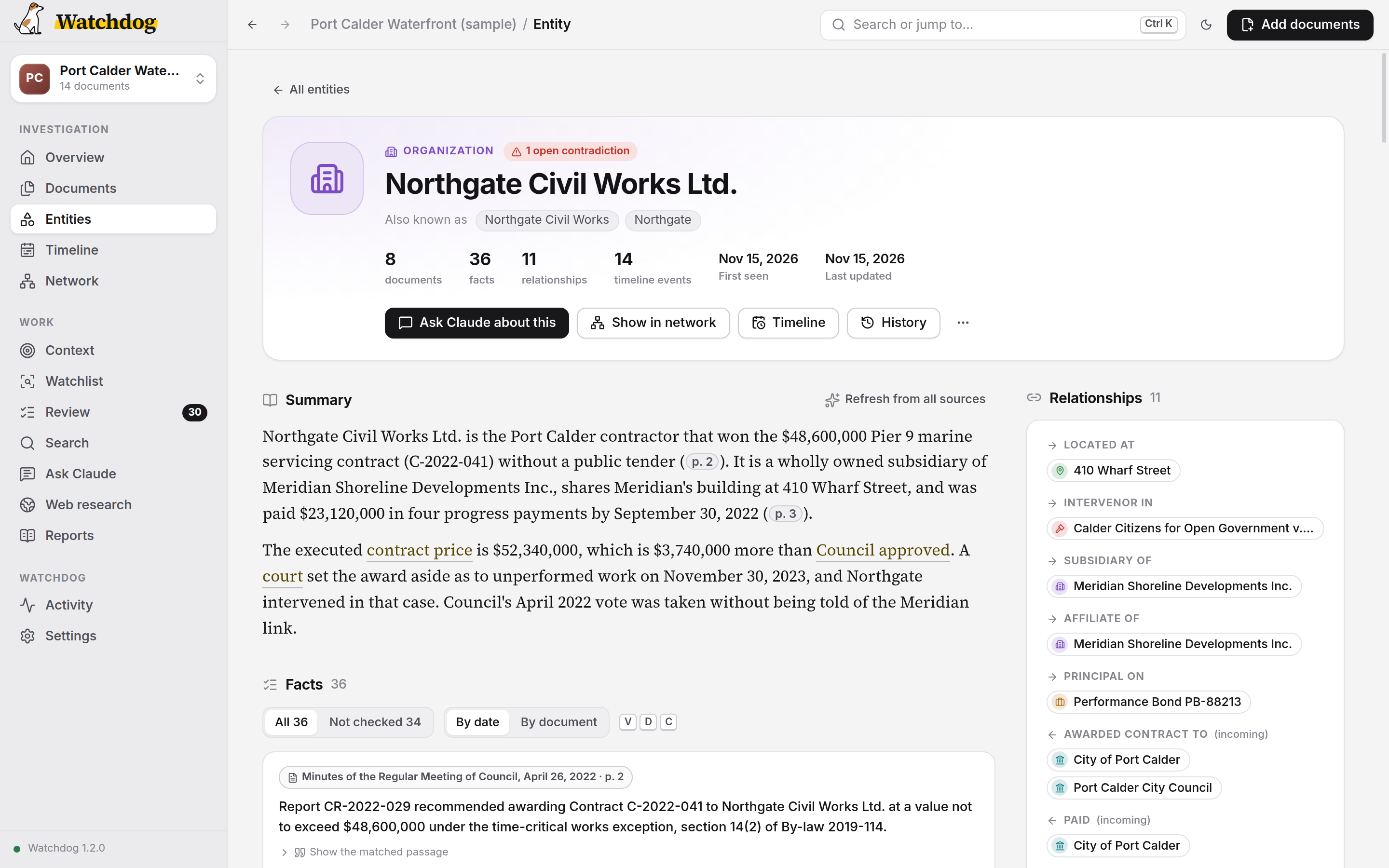
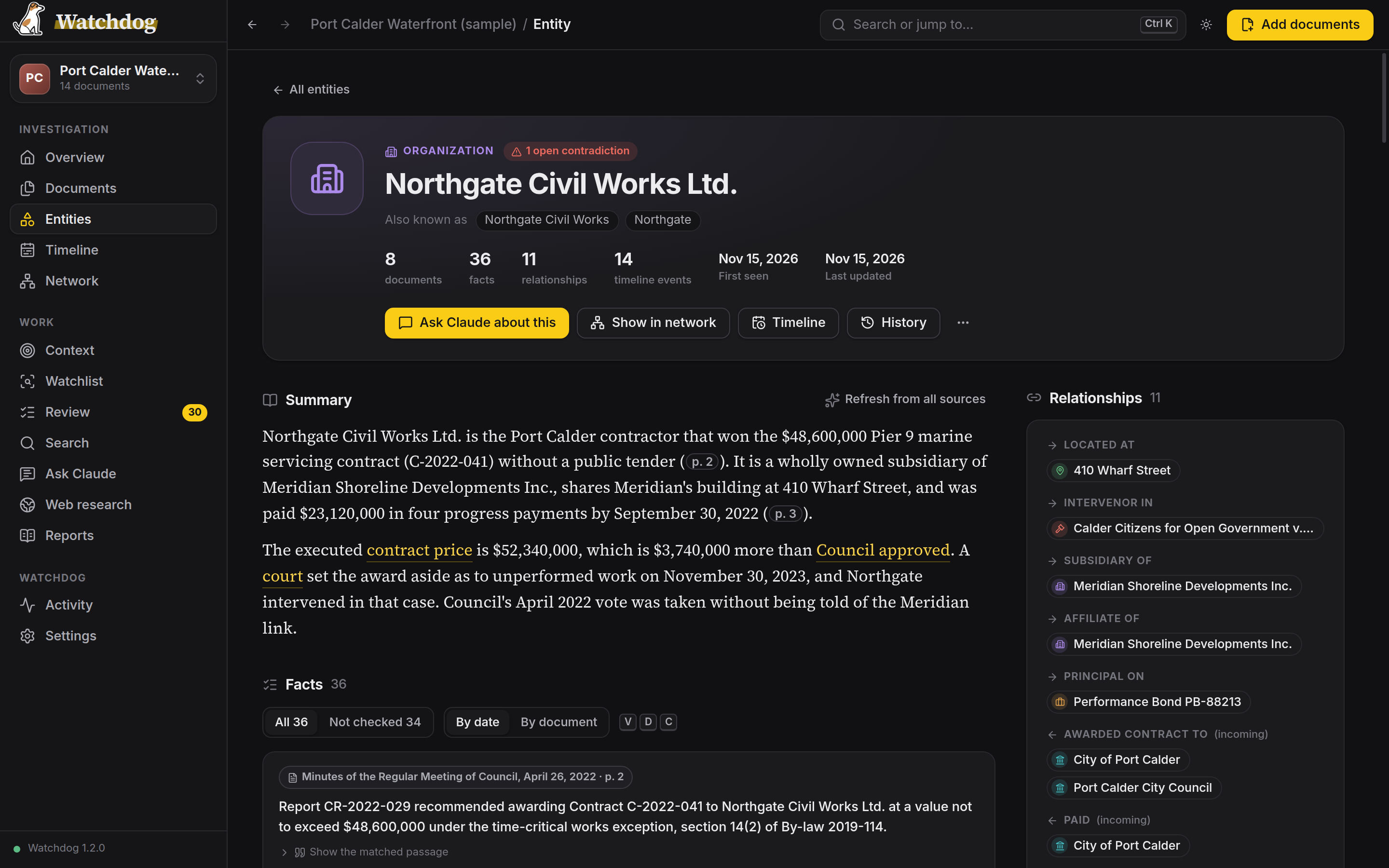
An entity's page: a cited summary, its facts and its relationships.
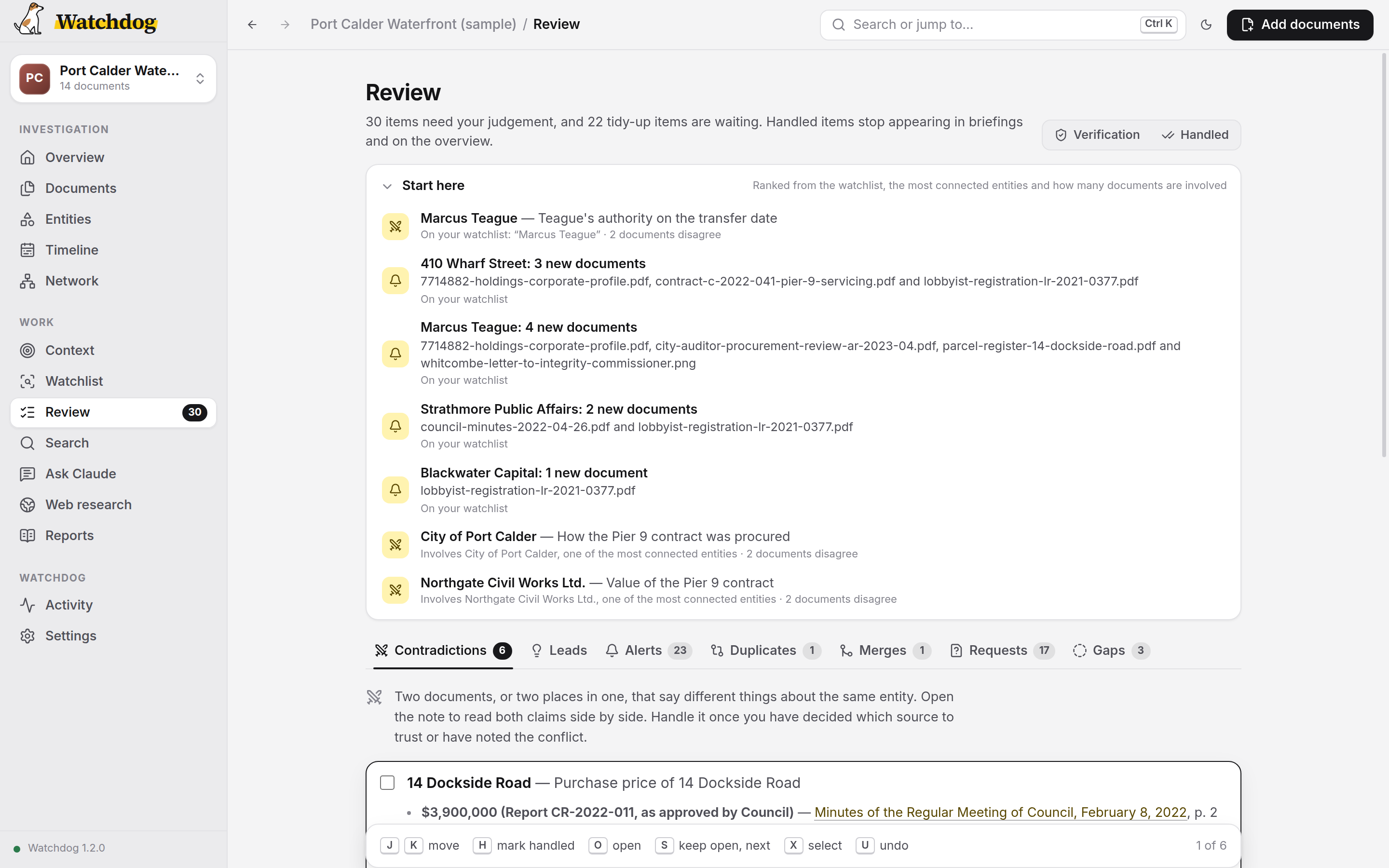
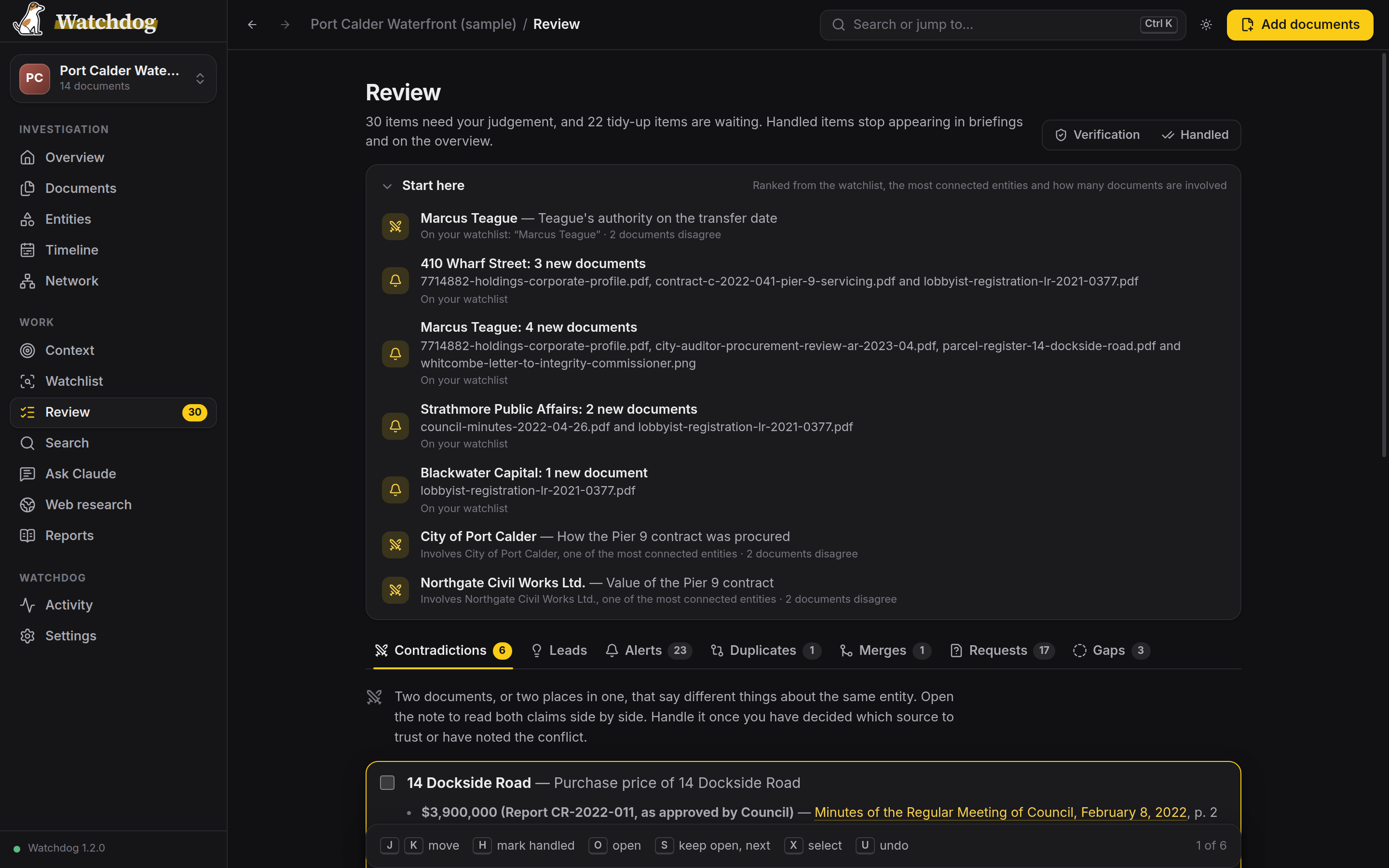
Review: contradictions between documents, with both sources cited.
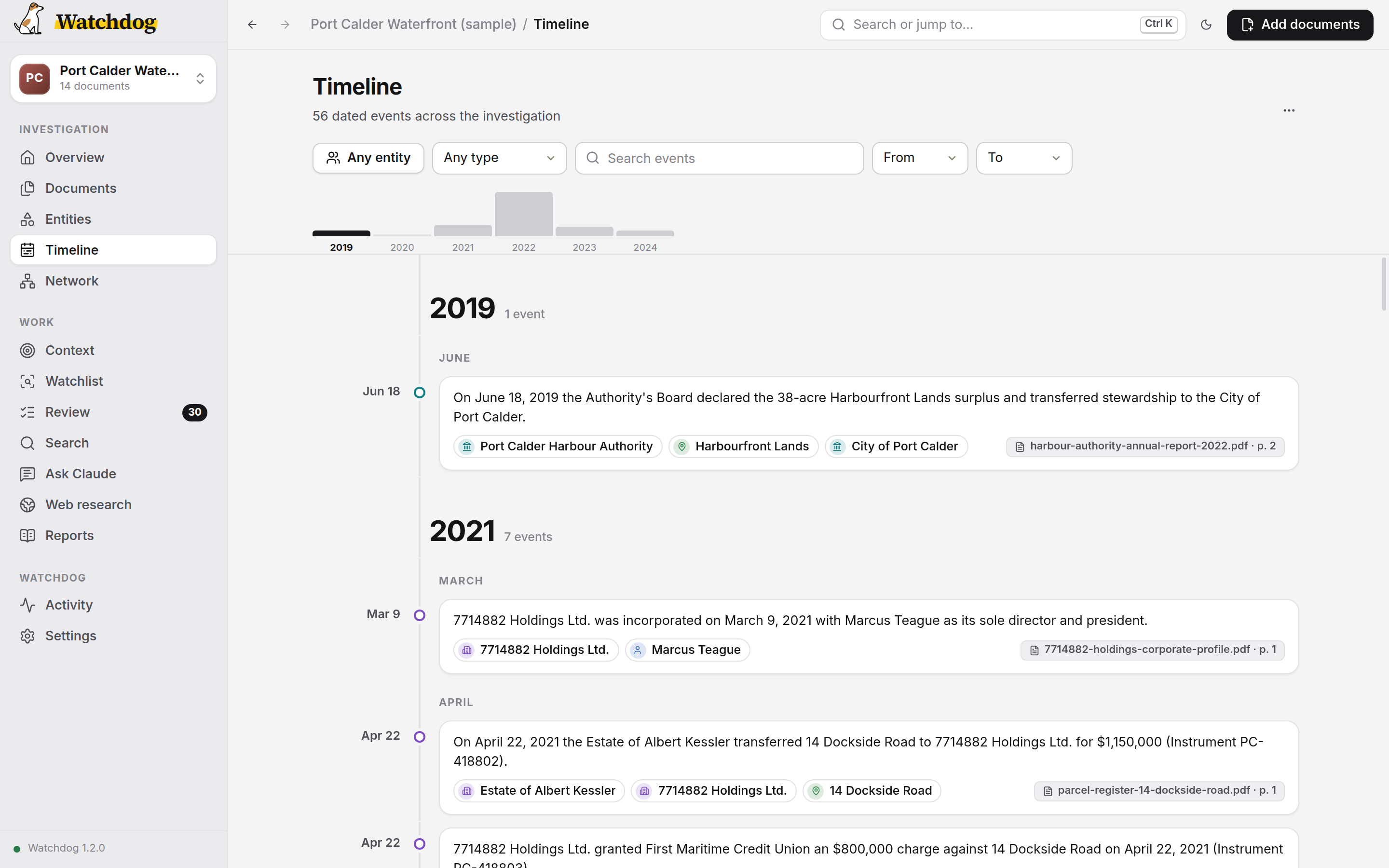
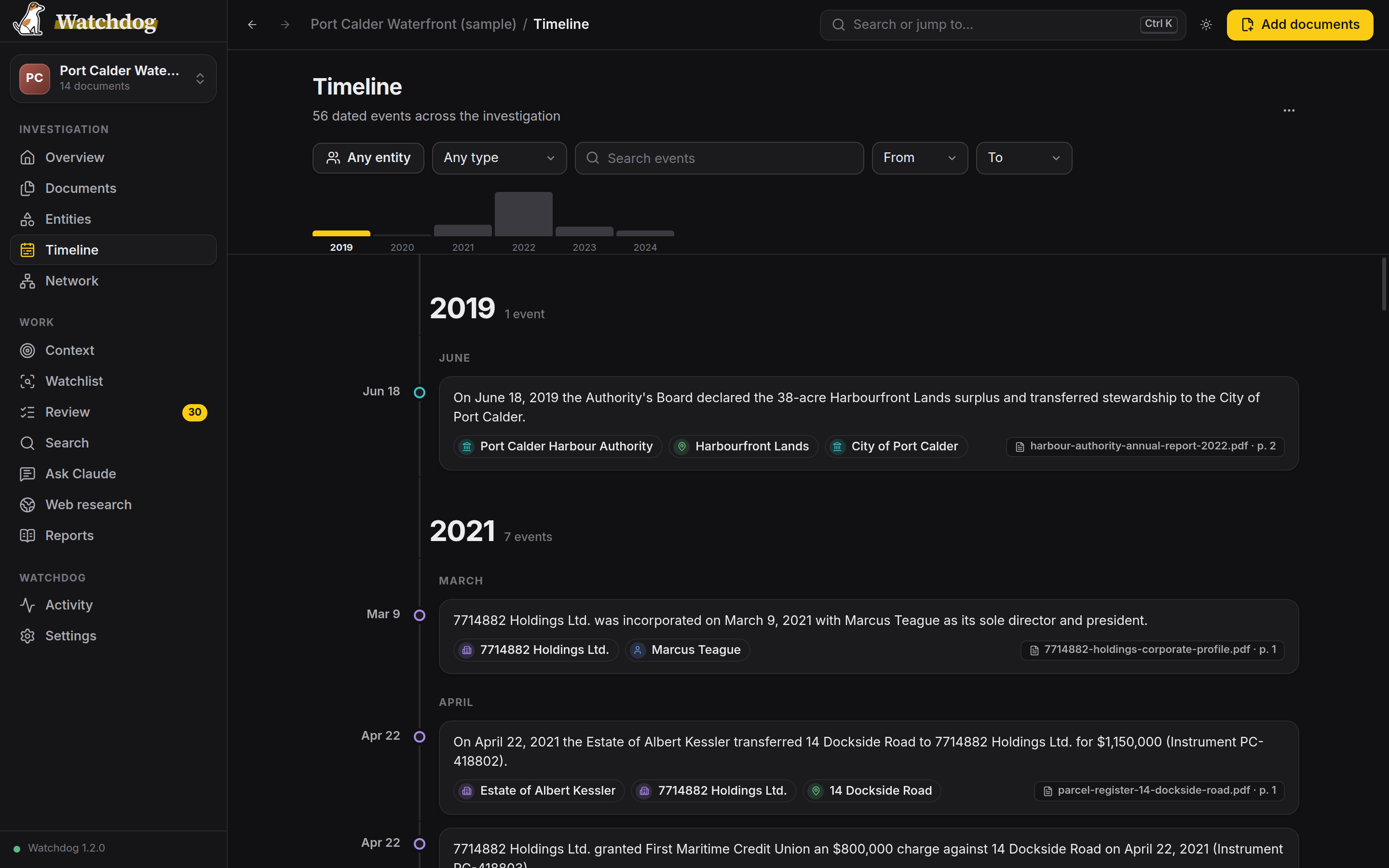
The timeline of dated events, each linked to its page.
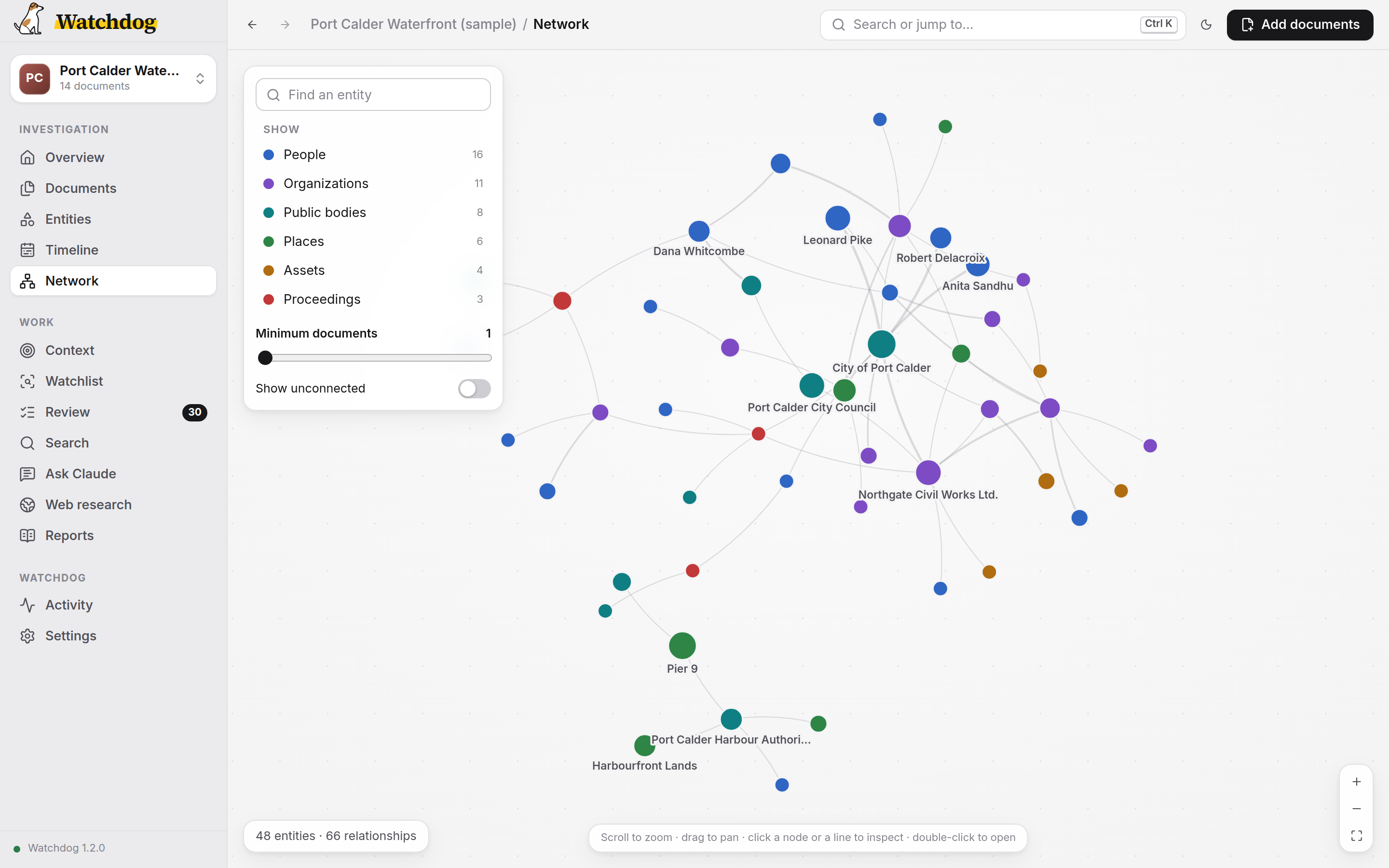
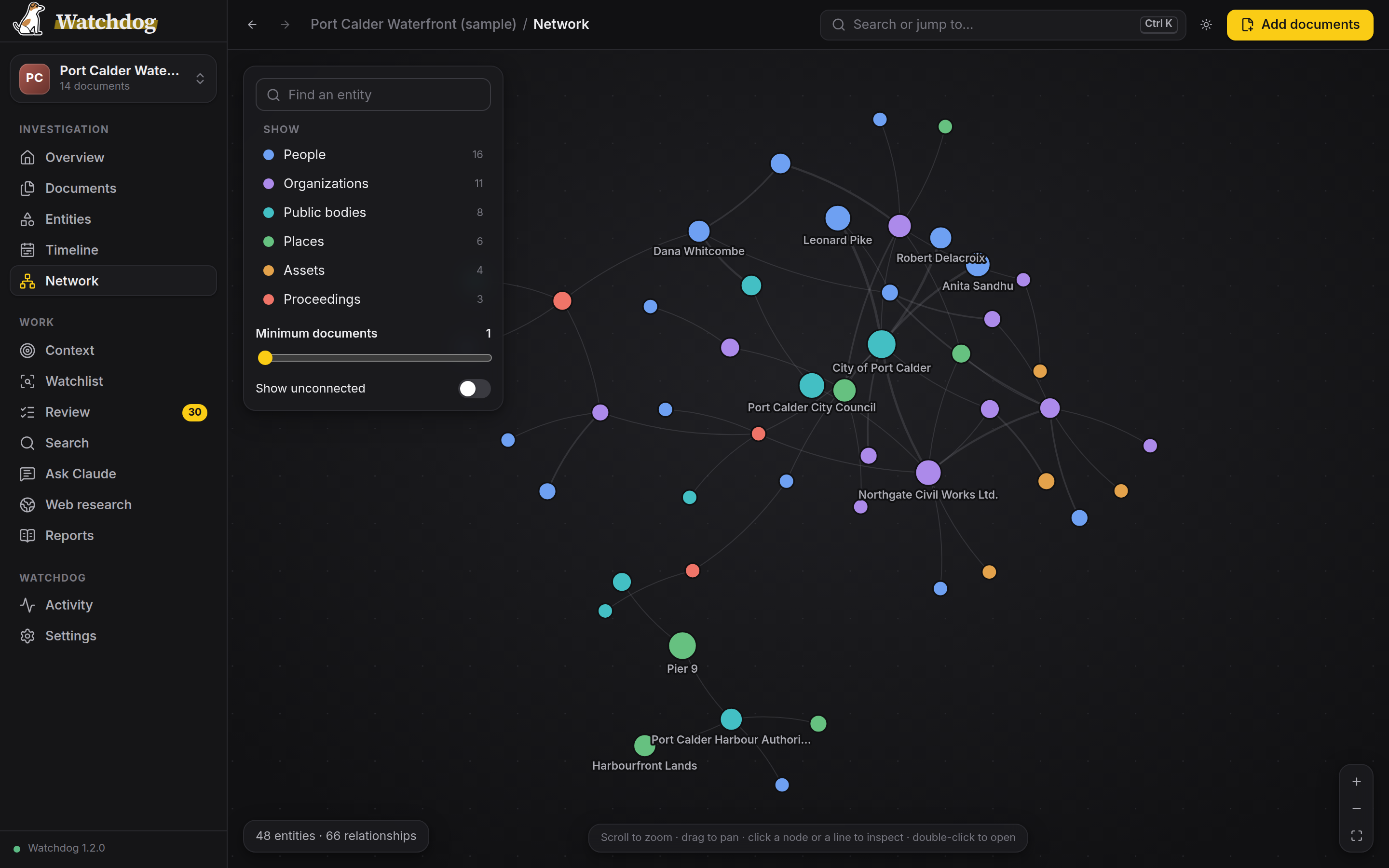
The network of people, companies and places.
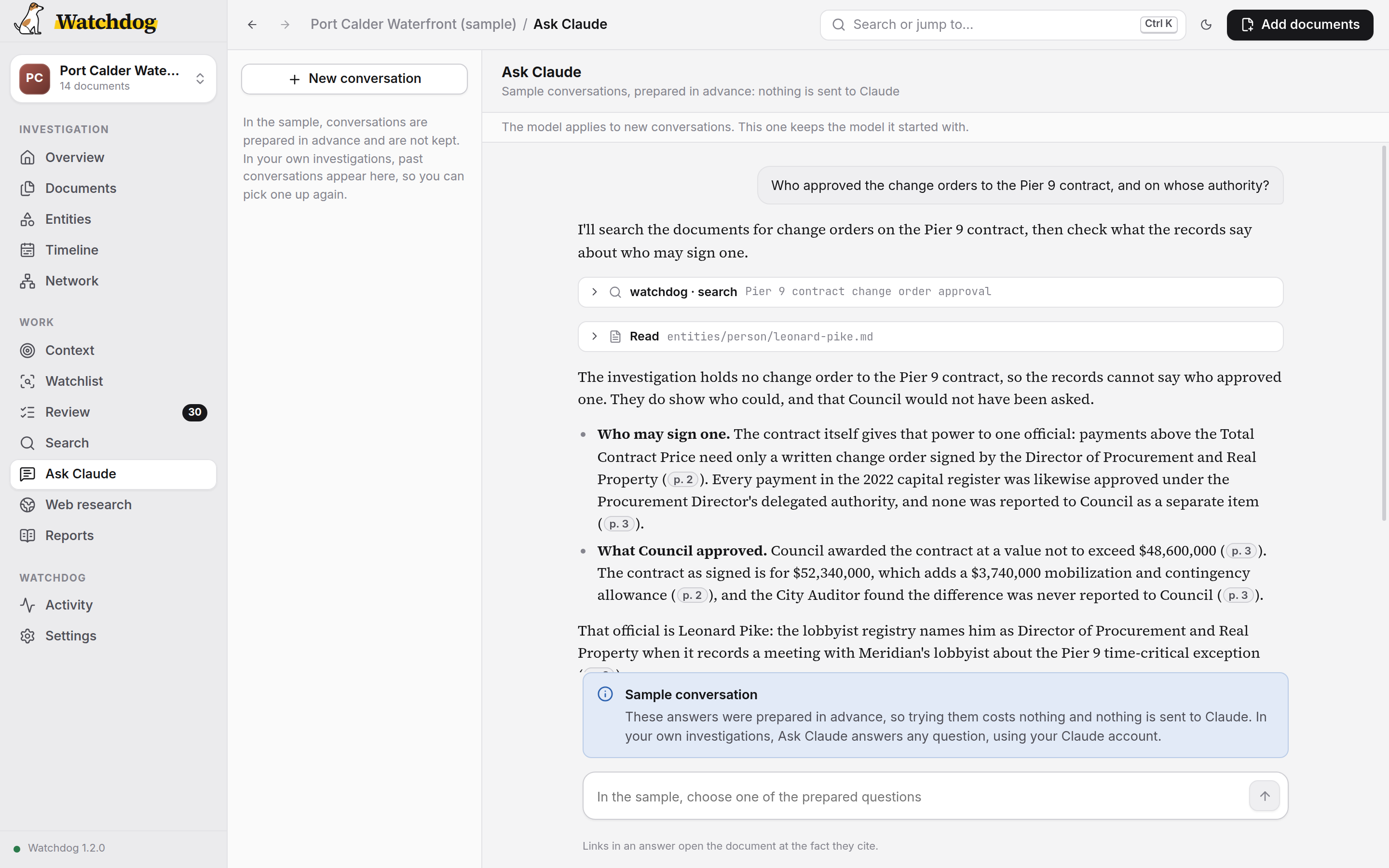
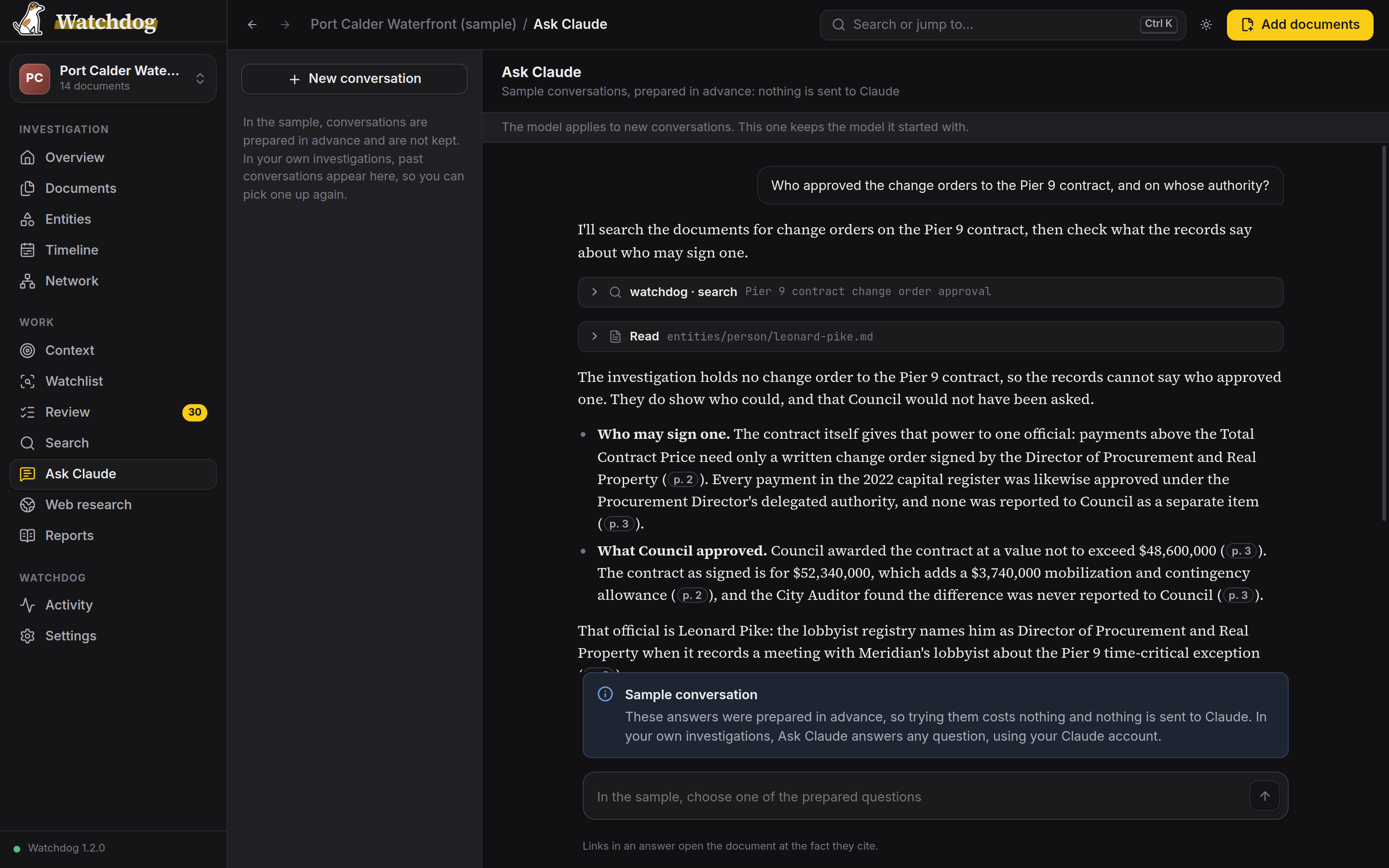
Ask Claude answering a question with a page citation for each claim.

Overview. Where the investigation stands in one paragraph, the latest briefing, and what is waiting on you. Finding your way around

Documents. The original beside the facts taken from it. Every fact names its page and shows the passage it rests on, even on a scan. Checking facts

Entities. Everything the documents say about a person or company, with a summary that cites its sources. Entities

Review. Contradictions, with both sources side by side, plus leads, near-duplicate documents and records worth requesting. Review

Timeline. Every dated event across every document, in order, linked to its page. Timeline and Network

Network. Who connects to whom, and through which documents. Timeline and Network

Ask Claude. Questions in plain language, answered from your documents only, with a page citation for each claim. Ask Claude

How it works

What happens when you add a document.

Every document goes through three stages. The first runs entirely on your computer. The second sends the document's text to the AI model you chose. The third combines both, and code checks every citation the model writes.

  1. 1 On your computer

    Pre-processing

    Each file is turned into text you can search. Docling reads the layout and tables, scanned pages go through OCR one at a time, Whisper transcribes recordings, and a small model, GLiNER, lists the names on each page alongside the figures and dates, so one buried in a table is less likely to be missed. Nothing is sent anywhere.

  2. 2 The AI model you choose

    Processing

    A model works out what kind of record it is, then reads the whole document with a guide for that kind, noting each fact and its page, with the list of names and figures from pre-processing as a checklist.

  3. 3 Both

    Post-processing

    Watchdog gathers every fact about each person, company and place into one note. A model decides which names refer to the same entity, flags contradictions and writes a briefing. Code then checks that every citation points at a real fact.

The full explanation, in plain English

Contradictions

Two official records. Two different prices.

Watchdog compares each new document with what the investigation already holds and flags any disagreement, citing both sources. Working out which record is right is still your job.

Minutes of the Regular Meeting of Council · February 8, 2022 · p. 2

The report recommends that the City acquire the property at 14 Dockside Road (Lot 14, Plan DP-2217) from 7714882 Holdings Ltd. for $3,900,000, being the amount supported by an independent appraisal commissioned by the City.

Parcel Register · PIN 40318-0147 · p. 1

Instrument PC-447119, registered February 28, 2022, transferred the property from 7714882 Holdings Ltd. to the City of Port Calder for stated consideration of $4,350,000.

From a sample investigation. The city, its people and its records are invented.

Connections

See who connects to whom.

Watchdog draws every relationship the documents state as a single network of people, companies, public bodies, places, assets and legal proceedings. Shared addresses, overlapping directors and names that keep turning up are easy to spot.

  • People
  • Organizations
  • Public bodies
  • Places
  • Assets
  • Proceedings

Every investigation comes with an interactive network like this one. Hover over a dot to see its connections; drag it to move it.

Checking facts

Every fact comes with its source.

AI makes mistakes, so Watchdog shows its work. Each fact carries its page and the passage it rests on. Facts the model inferred rather than read are marked, and code checks every number against the page. Then you record your own check.

  • Source passages are found by ordinary code, not AI
  • Figures that don't appear on the cited page are flagged
  • Your checks follow the fact wherever it appears

How checking facts works

Feb 8, 2022p. 2

Report CR-2022-011 recommended buying 14 Dockside Road from 7714882 Holdings Ltd. for $3,900,000, described as the amount supported by an independent appraisal commissioned by the City.

Matched passage, p. 2Council received Report CR-2022-011 from Leonard Pike, Director of Procurement and Real Property. The report recommends that the City acquire the property at 14 Dockside Road from 7714882 Holdings Ltd. for $3,900,000, being the amount supported by an independent appraisal commissioned by the City.
Leonard PikeCity of Port Calder14 Dockside Road

Try it: mark the fact.

Record skills

Guides for 33 kinds of record.

Each guide tells the model what an experienced investigative reporter looks for in that kind of record: a related-party transfer buried in a creditor list, say, or a director who changed three weeks before a contract was awarded. The guides are plain text, and you can write your own.

Corporate filingsFinancial statementsRegulatory filingsBankruptcyInsurance filingsTax documentsCourt documentsCriminal proceedingsAdministrative tribunalsLabour arbitrationImmigration and refugee
Healthcare licensingProfessional licensingLegislationGovernment contractsAudit reportsGovernment reportsFOI responsesLegislature transcriptsLobbying recordsElection filingsMunicipal records
Police recordsCorrections recordsEnvironmental filingsReal estateVehicle registrationsAcademic researchAircraft logsDNS and WHOISNews clippingsAudio and videoWebsites

Models and cost

Tested on real filings.

Watchdog runs on Claude by default: we recommend an API key for reading documents and your subscription for asking questions. Any reading step can use OpenAI, Google Gemini, DeepSeek, OpenRouter or a model on your own computer instead. The defaults are the settings that found the most when we tested each model on real public filings.

Models, cost and settings

How many of the important facts each model foundWe listed the important facts in a set of real documents, then counted how many of them each model pulled out. 74% means it found about three in every four. Higher is better.
  1. Claude Haiku 5.5, high default74%$0.0009 a page
  2. Claude Sonnet 5.5, high67%$0.0049 a page
  3. GPT-6 Luna, high55%$0.0003 a page
  4. GPT-6 Luna, medium52%$0.0002 a page
  5. Claude Sonnet 5.5, medium45%$0.0035 a page
  6. Gemini 3.8 Flash, high41%$0.0028 a page
  7. Claude Haiku 5.5, medium39%$0.0003 a page

Tested in October 2026 on six court and financial filings (209 pages), one run per model, so read a small gap as a lead, not a result. “High” and “medium” are how hard the model is asked to think. Costs are on a metered API key; a Claude subscription isn't billed per page.

Public records only

What stays on your computer, and what doesn't.

Your original files never leave your computer. The text of each document does go to the AI model you choose, and that can't be taken back. That's why Watchdog is only for documents that are public, or presumptively public, and why it asks you to confirm that before it sends anything.

Stays on your computer

  • Your original files
  • Conversion, OCR and transcription
  • The search index
  • Your notes and your checks of each fact
  • The investigation's folder of plain files

Goes to the model you choose

  • Each document's extracted text
  • Your investigation's brief
  • Facts, names and short quotations, for the write-up
  • Your questions to Claude

Never use Watchdog for confidential source communications, leaked or unpublished material, private correspondence, or anything that could identify a source. With a model on your own computer, nothing leaves it at all; see local models.

Download

Get Watchdog 1.2.0.

It's free and runs on Mac, Windows and Linux. The first time it opens, it sets itself up. You don't need a terminal or anything else installed first.

  1. Install itOpen the file and install it like any other app. If your computer warns you
  2. Set it upWatchdog downloads what it needs and connects to Claude. You'll need about 7 GB of space. First-run setup
  3. Try the sampleA made-up investigation with a guided tour. It costs nothing and needs no sign-in. Getting started

All files and earlier versions are on the release page. Installed copies update themselves.

Questions

Before you start.

Anything else is in the documentation, or ask on GitHub.

What does it cost?

The app is free and open source. You pay for the AI model. We recommend an Anthropic API key for reading documents: with the default model it costs roughly US$1 per 1,000 pages, with no usage limit to run into. A Claude Pro or Max subscription can cover your questions to Ask Claude at no extra charge. Controlling cost

Can I use it on leaked or confidential documents?

No. The text of each document is sent to a cloud AI model, so Watchdog is only for records that are public or presumptively public. The one exception is a model running on your own computer, where nothing leaves it. Local models

Does it replace reading the documents?

No. Think of it as a structured first read: it tells you where to look and keeps track of what you've checked. Every fact links to its page. Follow the link before you publish anything. Checking facts

What kinds of files can it read?

PDFs (scanned or not), Word, Excel and PowerPoint files, images, web pages, plain text, and audio and video, which it transcribes on your computer. Supported file types

Where does my work live?

In an ordinary folder of Markdown files on your computer, one per investigation. You own it, and it stays readable without the app. It also opens in Obsidian. Your files

Do I need Claude?

For asking questions of your investigation, yes: Ask Claude and Web research run on Claude. Reading the documents can run on OpenAI, Google Gemini, DeepSeek, OpenRouter or a local model instead. Other providers